So let’s say you want to get a better understanding of how DBCC checkdb works, but you unfortunately only have no corrupted databases to play with. One option is to create your own broken database!
We’ll be targeting non-clustered indexes specifically, so that we can repair the database without data loss.
First, we create a test database:
create database testdb
then we create a table, and a non-clustered index to go with it
create table dbo.randomRows
(
id int not null,
name nvarchar(20),
value int
)
go
create index idx_randRowsId
on dbo.randomRows(id)
go
now let’s insert some test data
insert into dbo.randomRows (id, name, value)
values
(1, 'joan',100),
(2, 'jason',10),
(3, 'chocolates',40),
(4, 'tea', 50)
go
so now, we’re at the point where we can start breaking stuff
first thing we need to know is in which ‘page’ the index is physically stored. Pages are the ‘fundamental unit of storage’ in SQL Server. A SQL server database is made up of a number of physical files. Data files exist on the file system, within these data files, space is organized into a series of 8 KB pages.
Ref: http://msdn.microsoft.com/en-us/library/ms190969.aspx
To find the page number the index is physically stored in, we can query the system view “sys.system_internals_allocation_units
“
But before we can find the index in that view, we first need to find it’s partition ID using sys.partitions
Ref: http://msdn.microsoft.com/en-us/library/ms175012.aspx
From the table name, we can derive the partition, based on the object_id, like so:
select partition_id
from sys.partitions a, sys.indexes b
where
a.object_id=b.object_id
and a.index_id=b.index_id
and a.object_id=object_id('dbo.randomRows')
and b.type=2
we can then join to the sys.system_internals_allocation_units table based on this partition_id=container_id, and the column of interest to us is ‘first_page’. The following query gives us the information we need:
select first_page
from sys.partitions a, sys.system_internals_allocation_units b
where a.partition_id=b.container_id
and object_id=object_id('dbo.randomRows')
and index_id <> 0
in my case, the result of this query gave the following:
0x130100000100
To derive the actual page number from this value, we need to first reverse the bytes to get the actual page number,
So from 130100000100, we get:
00 01 00 00 01 13
The first 4 digits gives the file number, in this case 1, and the rest of the digits is the page number
113 hex =(1 * 162) + 16 + 3 = page number 275
Another way to page number is with some sub-string-ery, like so:
select
Convert (int, SubString (first_page, 4, 1) +
SubString (first_page, 3, 1) +
SubString (first_page, 2, 1) +
SubString (first_page, 1, 1))
from sys.partitions a, sys.system_internals_allocation_units b
where a.partition_id=b.container_id
and object_id=object_id('dbo.randomRows')
and index_id <> 0
which also returned 275
to view more information about this page, we can use the DBCC page command - http://support.microsoft.com/kb/83065
to view the results of DBCC page, we need to turn on trace flag 3604.
dbcc traceon(3604)
go
dbcc page(testdb, 1,275,1)
go
which gives the following results:
DBCC execution completed. If DBCC printed error messages, contact your system administrator.
PAGE: (1:275)
BUFFER:
BUF @0x046C0750
bpage = 0x0FF3A000 bhash = 0x00000000 bpageno = (1:275)
bdbid = 7 breferences = 0 bcputicks = 0
bsampleCount = 0 bUse1 = 47970 bstat = 0xb
blog = 0x212121cc bnext = 0x00000000
PAGE HEADER:
Page @0x0FF3A000
m_pageId = (1:275) m_headerVersion = 1 m_type = 2
m_typeFlagBits = 0x0 m_level = 0 m_flagBits = 0x8000
m_objId (AllocUnitId.idObj) = 85 m_indexId (AllocUnitId.idInd) = 256
Metadata: AllocUnitId = 72057594043498496
Metadata: PartitionId = 72057594039107584 Metadata: IndexId = 2
Metadata: ObjectId = 245575913 m_prevPage = (0:0) m_nextPage = (0:0)
pminlen = 13 m_slotCnt = 4 m_freeCnt = 8024
m_freeData = 160 m_reservedCnt = 0 m_lsn = (30:231:48)
m_xactReserved = 0 m_xdesId = (0:0) m_ghostRecCnt = 0
m_tornBits = 0 DB Frag ID = 1
Allocation Status
GAM (1:2) = ALLOCATED SGAM (1:3) = ALLOCATED
PFS (1:1) = 0x60 MIXED_EXT ALLOCATED 0_PCT_FULL DIFF (1:6) = CHANGED
ML (1:7) = NOT MIN_LOGGED
DATA:
Slot 0, Offset 0x60, Length 16, DumpStyle BYTE
Record Type = INDEX_RECORD Record Attributes = NULL_BITMAP Record Size = 16
Memory Dump @0x14F8C060
00000000: 16010000 00110100 00010000 00020000 ††††††††††................
Slot 1, Offset 0x70, Length 16, DumpStyle BYTE
Record Type = INDEX_RECORD Record Attributes = NULL_BITMAP Record Size = 16
Memory Dump @0x14F8C070
00000000: 16020000 00110100 00010001 00020000 ††††††††††................
Slot 2, Offset 0x80, Length 16, DumpStyle BYTE
Record Type = INDEX_RECORD Record Attributes = NULL_BITMAP Record Size = 16
Memory Dump @0x14F8C080
00000000: 16030000 00110100 00010002 00020000 ††††††††††................
Slot 3, Offset 0x90, Length 16, DumpStyle BYTE
Record Type = INDEX_RECORD Record Attributes = NULL_BITMAP Record Size = 16
Memory Dump @0x14F8C090
00000000: 16040000 00110100 00010003 00020000 ††††††††††................
OFFSET TABLE:
Row - Offset
3 (0x3) - 144 (0x90)
2 (0x2) - 128 (0x80)
1 (0x1) - 112 (0x70)
0 (0x0) - 96 (0x60)
DBCC execution completed. If DBCC printed error messages, contact your system administrator.
This is enough information for us to break the index. For any one of the index records listed, we can just overwrite some data .
We know the page address is 275, and we know pages are 8 KB in size = 8192 bytes. We can therefore find address within the physical file to modify, which would damage this index; 275 * 8192 =2252800.
Once we take the database offline, you can use a simple hex editor to navigate to address 2252800 and make your adjustments.
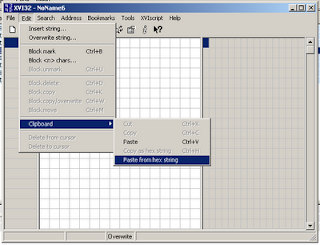
As an additional check, you can compare the memory dumps for individual index records (from DBCC page command) to see if they match patterns in the data file opened in your hex editor (btw I’m using Xvi32).

You can make literally any change, for this file I’ll just change that 16 hex value to 17

Save the file, and bring your database back online. Once that’s done, you can go ahead and run your DBCC command to check for errors:
dbcc checkdb(testdb) with no_infomsgs
you might get something similar to the following:
Msg 8939, Level 16, State 98, Line 1
Table error: Object ID 245575913, index ID 2, partition ID 72057594039107584, alloc unit ID 72057594043498496 (type In-row data), page (1:275). Test (IS_OFF (BUF_IOERR, pBUF->bstat)) failed. Values are 133129 and -4.
Msg 8928, Level 16, State 1, Line 1
Object ID 245575913, index ID 2, partition ID 72057594039107584, alloc unit ID 72057594043498496 (type In-row data): Page (1:275) could not be processed. See other errors for details.
Msg 8980, Level 16, State 1, Line 1
Table error: Object ID 245575913, index ID 2, partition ID 72057594039107584, alloc unit ID 72057594043498496 (type In-row data). Index node page (0:0), slot 0 refers to child page (1:275) and previous child (0:0), but they were not encountered.
CHECKDB found 0 allocation errors and 3 consistency errors in table 'randomRows' (object ID 245575913).
CHECKDB found 0 allocation errors and 3 consistency errors in database 'testdb'.
repair_allow_data_loss is the minimum repair level for the errors found by DBCC CHECKDB (testdb).
Success! , our database is broken. Furthermore, we only broke a non-clustered index, so repairing this error should not cause us to lose any data.
So something like this:
use master
go
alter database testdb set single_user
go
dbcc checkdb(testdb, repair) with no_infomsgs
go
should produce something similar to this:
Repair: The Nonclustered index successfully rebuilt for the object "dbo.randomRows, idx_randRowsId" in database "testdb".
Repair: The page (1:275) has been deallocated from object ID 245575913, index ID 2, partition ID 72057594039107584, alloc unit ID 72057594043498496 (type In-row data).
Msg 8945, Level 16, State 1, Line 1
Table error: Object ID 245575913, index ID 2 will be rebuilt.
The error has been repaired.
Msg 8928, Level 16, State 1, Line 1
Object ID 245575913, index ID 2, partition ID 72057594039107584, alloc unit ID 72057594043498496 (type In-row data): Page (1:275) could not be processed. See other errors for details.
The error has been repaired.
Msg 8939, Level 16, State 98, Line 1
Table error: Object ID 245575913, index ID 2, partition ID 72057594039107584, alloc unit ID 72057594043498496 (type In-row data), page (1:275). Test (IS_OFF (BUF_IOERR, pBUF->bstat)) failed. Values are 2057 and -4.
The error has been repaired.
Msg 8980, Level 16, State 1, Line 1
Table error: Object ID 245575913, index ID 2, partition ID 72057594039107584, alloc unit ID 72057594043498496 (type In-row data). Index node page (0:0), slot 0 refers to child page (1:275) and previous child (0:0), but they were not encountered.
The error has been repaired.
CHECKDB found 0 allocation errors and 3 consistency errors in table 'randomRows' (object ID 245575913).
CHECKDB fixed 0 allocation errors and 3 consistency errors in table 'randomRows' (object ID 245575913).
CHECKDB found 0 allocation errors and 3 consistency errors in database 'testdb'.
CHECKDB fixed 0 allocation errors and 3 consistency errors in database 'testdb'.
And this command:
dbcc checkdb(testdb) with no_infomsgs
should give us no errors, like so:
Command(s) completed successfully.
so that's more or less it. Have fun!
btw to create this post, I used Microsoft SQL Server "Denali" (CTP3) - 11.0.1440.19 (Intel X86) and good old, reliable XVI32
**edit - modified the "locating the partition" query to only show non-clustered indexes for the given object